Well, if you are reading this, I hope you’re either: a) purely interested in hacked websites in case it happens to you; b) one of my clients using WP Engine for their hosting, because you don’t need to worry; or c) haven’t started building your website yet.
If you’re reading it because you think your website has been hacked, and your hosting doesn’t have the hack-guarantee that WP Engine provide, then I’ll keep my fingers crossed for you that yours is a little compromise and not a full-on cloaked malware issue. (Sorry – jargon overload.)
Well, you wouldn’t be alone, according to current statistics, around 30,000 websites get hacked every single day!
So how do you know your site has been hacked?
One day you get a call from one of your clients telling you that your site might be hacked. How on earth have they worked that out, you think to yourself. “Really?” you say … And what you’ll probably find is that they’ve tried to Google you to find your site, only to find that Google has very kindly put a little message under your title in their search results saying: “This site may be hacked”.
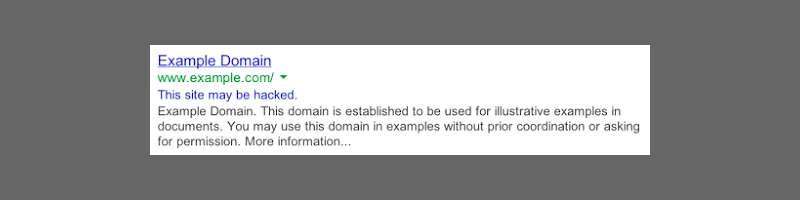
And if Google have any reason to think that the site may be hacked, then it really is most likely that it has been. (Bear in mind that it takes around a week for a cleaned up site to get rid of this message.)
So, what on earth happens next?
Well, at this stage, I have to mention that the idea of the Essential Websites blog is to take the jargon out and give you a simplified version of the website world. Hacking is not simple. And that is the bottom line – it may be very possible that there is one little rogue file sitting on your server and this can be cleaned up by simply deleting it, but there is a real possibility that the issue is a fully cloaked malicious content injection that will do almost irreparable damage. Yes, I’m speaking from bitter experience here!
So first things first. If you are really lucky, and a little bit savvy, you can log into your cpanel where all your website files are, spot the offending file and remove it.
But how do you know what file is causing the issue?
If you have registered your site with Google Search Console – Google’s way of giving you control over how your site behaves in their searches – it will give you an idea of what malicious files have been injected into your site and this gives you a starting point for finding them in the cpanel.
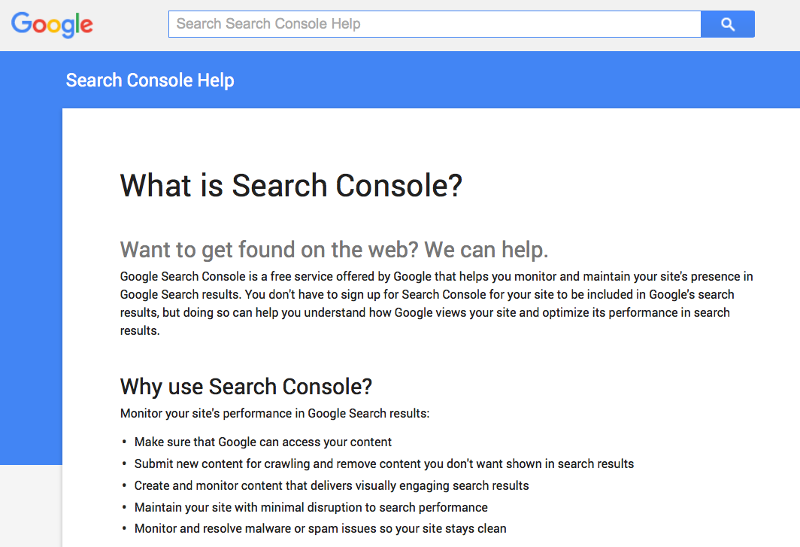
And when you have removed the file(s) you can request a review from Google using the ‘Security Issues’ section of the Search Console.
Is that it?
Well, if you are really, really lucky, then yes.
What if it’s more than just a couple of rogue files?
Depending on the level of the hacking, it may be that a malicious redirect has been set up on your site. In this case, when someone clicks on the link to your website in the Google search results, it always redirects to another site.
How can I find out if there is malicious code in my site?
To check what is going on, you can run your site through a free online file viewer: aw-snap.info. Simply paste your website’s URL into the box at the top and click on Scan. If there is a malicious redirect it will tell you and if there is any ‘dodgy’ script then it will highlight that too.
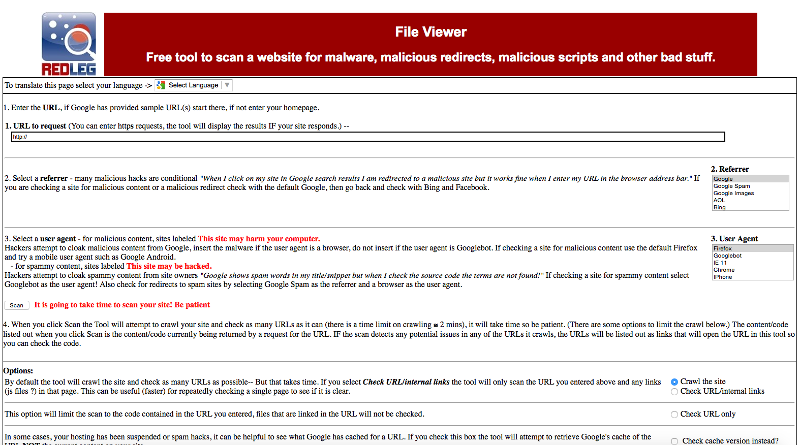
What if you’ve checked the source code of your Home page and it’s not showing up?
This is where it really starts getting interesting. No really.
If the file viewer flags up script that needs checking, the first thing that most people with a little bit of website knowledge would do is to ‘view source code’ or whatever your browser allows you to do. There you can see the page code in all its glory. Wrong. You think you can see all the code, but if the nasty hacking bot/guy has been really sneaky, it can actually be ‘cloaked’ – in other words, viewing the source code won’t show it up.
The only way you can really check is to go back to your Google Search Console, go to the Crawl > ‘Fetch as Google’ section and ask Google to fetch your Home page. Then click on the home page in the list, once it’s done its fetching. If you have any cloaked code, it will show up there. Nasty.
This is where you can really start to panic. If you suddenly see all sorts of extra bits of code – it’s usually very obvious as it can be plastered with all sorts of shopping sites etc. – then Google really have detected malicious content.
And it needs to be sorted out. So how do you go about it?
At this stage you have 2 choices. You either find someone to clean your site for you – good luck with that. Or you wipe your site and install a completely clean backup version from before, that you know one hundred percent certain, is free from any malicious code. This is not impossible to do. However, there may be many updates that this roll-back throws up and it can be pretty time-consuming to fix some of the issues that may arise, due to plugins that have become obsolete, or that don’t work with a revised theme version etc. etc.
However, if this is successful, then you can begin the process of requesting a review from Google and keeping your fingers crossed that this is sorted out. If you’ve got this far, you probably deserve a medal to be honest. Well done!
Until the next time?
Well, this is the ultimate point that I’m trying to make I suppose. Even with all the front-end security in place, such as Sucuri or Wordfence plugins installed (not both as they clash), if your hosting isn’t up to it, your site may have been compromised by a backend issue on the server. In which case, it may just be a matter of time before you are back to the very beginning.
I can’t risk this happening to me, what can I do?
If you know that the current version of your website right now is completely clean (run the aw-snap.info and Fetch as Google checks just to be sure), take a full backup right away, and don’t forget to take one of your SQL database too.
… then change your hosting provider as quickly as you can!
Can Essential Websites help me with this?
Of course, because what you need is a WordPress-specific hosting provider, who guarantees to fix a compromised site, and this is exactly what Essential Websites can provide.
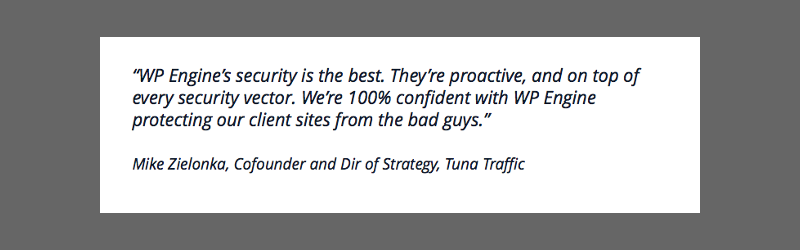
With the help of our hosting provider WP Engine, we can guarantee that best practice security measures are always in place. If you want the fine details, please read the information about security on the WP Engine website.
Once you’ve decided to make the switch, we will help make the transition from your current host to our provider, WP Engine, as smooth as possible, we’ll even do the migration for you for free. We also give a massive 20% discount on WP Engine’s prices by coming to us directly. Contact us now to discuss your hosting move.